 Website
 Features
Website Management
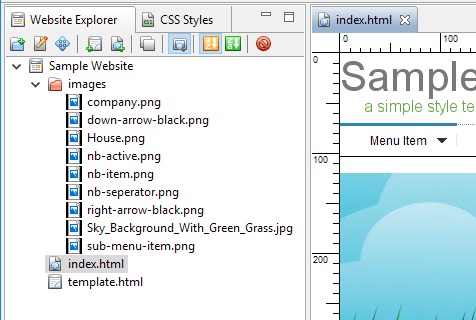
- Files within the website are managed by this website builder. When you move or rename files or directories within the Website Explorer, any links on the web pages referencing these files or directories will be updated automatically.
- You can drop external files to the website explorer of this website builder or directly to the active web page if they are gif, jpg or png files.
- You can drag binary files out of the website explorer.
- When you delete a file which is still referenced by any web pages, a warning will be given. This minimizes the chances of missing files when your site is published.
- You can easily back up and restore your websites.
Responsive Web Design
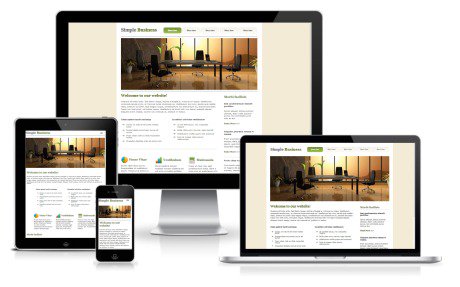
- Support creating website that works on desktop, tablet and mobile devices. Just select the layout rules appropriate to each element in tablet and mobile layout. The elements will adapt automatically to the width of the browser windows. There is generally no need to rearrange elements at each specific breakpoint for different type of devices. Check out the tutorial here to see how this can be done.
- There are two general breakpoints, tablet and mobile. When the width of the browser window is smaller than the width of your page, the tablet layout will be triggered and when the width of the browser window reaches the specified mobile breakpoint (default is 768 px), the mobile layout will be triggered. In tablet layout, the layout of the elements are generally the same as the desktop except the size of the elements are resized to fit in the new width. In mobile layout, a single column approach will be used. However, elements can be added to a mobile group so that their layout can be arranged together like placing them side by side if the width of the browser window can accommodate them and when wrapping occurs, they will be shown vertically in a single column. You can check out some sample websites to see how they work.
- Commonly used text elements which work well on responsive web design can be created by selecting from a set of text templates or inserting a hero image (large web banner image with text overlay), saving your time from creating them from scratch. They can be customized easily after creation.
Web Performance Optimization
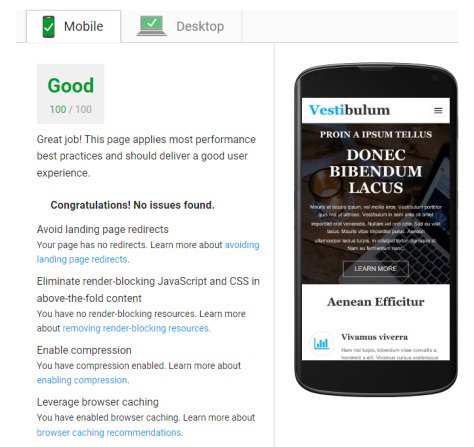
- Pages are optimized for fast loading by default. This guide "Web Performance Optimization" shows what will be done automatically and what can still be done to further improve user experience with fast loading page.
- HTML files, CSS style sheet and Javascript files are minimized.
- CSS style sheet and Javascript files are loaded asynchronously so as not to block the rendering of the page.
- Above the fold CSS styles are inlined on the page so there is no need to wait for the loading of the style sheet to show the above the fold contents.
- Supports prioritizing contents in a mobile group. So more important contents can be shown to the visitors in mobile layout.
- Supports responsive images. Different sizes of the same image are sent according to the width of the browser window. Small devices will load the smaller versions of the images.
Tools
- Search Engine - You can add a search engine to your website. Just follow the tutorial on this page.
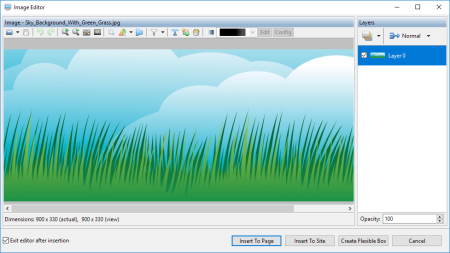
- Image Editor - Create and edit images such as web buttons, background images and text images. Have about 60 image filters to apply effects to the images. Support simple layers. Several images can be combined to a single image using one of the blending modes. Include 100 image mask for creating masked images. Fix common photo problems such as over-exposed, under-exposed and color cast images etc.
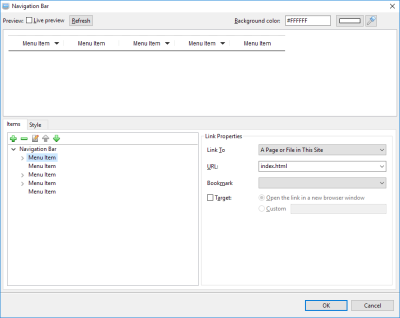
- Navigation Bar Editor - Include over 100 pre-designed navigation bars. You can customize them or create a new one. Support drop down menus. The same navigation bar style can be shared among different navigation bars. This makes your pages load faster because of smaller size and fewer images.
- Web Button Creator - Create a new web button by selecting shape, style and colors. Add text to button. Insert image to the beginning or the end of the text. Add drop shadow.
- Bullet Image Creator - Create bullet image for Image List using pre-selected sets of bullets. You can also use your own Dingbat fonts installed on your system to create the bullet image.
- Color Analyzer - Use this tool to explore color scheme to be used in your website. Create color palettes from an image. Use color wheel and color harmonies to suggest matching colors.
- QR Code Generator - Generate a QR code from the information entered and add it on the page.
- Google Web Font Manager - Manage the Google Web Fonts that are added to the website.
- Font Converter - Convert TTF font to formats WOFF2, WOFF and EOT.
- Font Subsetter - Extract only needed characters from a font to minimize the size of the font file.
- Export active page to an image - capture the active page to an image.
- Export active page to an EML file - generate the active page to an EML file which can be imported to an email client for sending out.
- External Http Link Checker - Check http links pointing to external websites to discover broken links.
CSS Styles
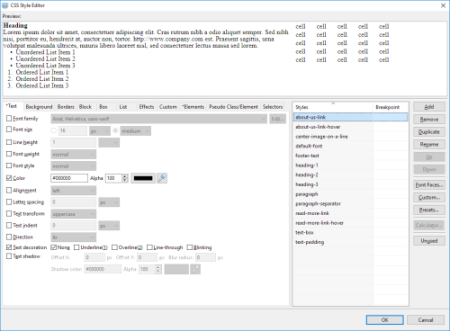
- Create CSS Styles using the CSS Style Editor. You do not need to hand code style rules.
- A global style sheet is generated automatically and linked to every HTML page of the website.
- Any changes to the names of style rules will be updated to the affected elements automatically.
- Advanced users can add custom CSS style rules to a style or even add custom CSS styles with selectors to the external style sheet.
- Support using @font-face to add font files to your website. If you only have the TTF format font files, you can use the included Font Converter to add other formats WOFF2, WOFF and EOT.
- Support saving your styles to preset so that you can reuse them without defining them again. Several ready to use preset styles are included to simplify your work.
- Support CSS3 styles. You can create rounded corners, shadow and gradient without using images.
Flexible Editors
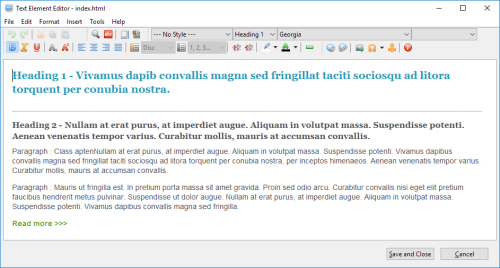
- This website builder features WYSIWYG type editors, so it is easy to insert text, tables, images, forms and horizontal lines, just as you would in your favorite word processing program. More than this, you can also add audio and video files, preset javascript like image sliders and Lightbox and PayPal buttons to the web pages. All HTML code will be generated automatically. You do not need to write a single line of HTML code.
- You can mark text with heading tags such as H1 - H6, paragraph etc. These tags are important for search engine optimization (SEO).
- You can insert image to a text element and wrap text around it.
- Text link can be turned to a button.
- Special characters such as copyright can be inserted on a page.
- A spelling checker is included in this website builder. It can import external dictionaries.
- Support cross-browser image lists. The image lists are implemented using background images so that they look alike across different browsers.
Template Sites / Pages
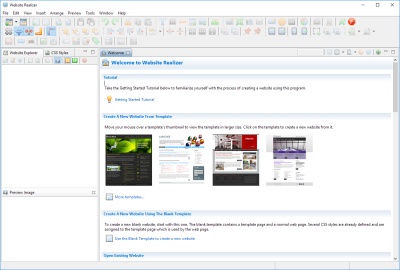
- Several pre-designed one page template sites are included in this website builder to get you started quickly. You can use them as is or swap in your images to create a unique website from one of the templates.
- You can save your websites as templates so that they can be reused over and over again.
- You can create a template page for common elements such as navigation bar, logo and copyright footer that will used by other web pages. Any changes made to the template page will be reflected on other web pages that use this template page.
- You can mark elements at the bottom of the template page as footer elements. When new contents are added on a page that uses this template page, footer elements will be moved downward automatically to leave room for the contents. Its usage is demonstrated in the Getting Started Tutorial.
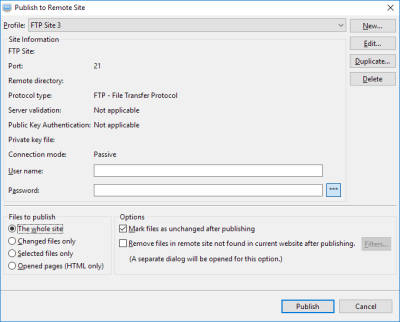
FTP / SFTP / FTPS Publisher
- Publish directly to a web server using the included publishers which supports FTP, secure SFTP (SSH File Transfer Protocol) and FTPS (FTP over SSL/TLS) protocols.
- Support removing files from the remote website when they are deleted in the Website Explorer.
HTML Source Editor
- Raw HTML code snippets can be added to a page to support advanced usage.
- The HTML Source element created using this editor supports dynamic height. You can add Disqus or similar services for your visitors to add comments on blog posts or guestbook. The element will be expanded to fit the content and push down the elements in the footer.
- You can add YouTube, Vimeo, Google Analytics and Google Map on a page using this editor.
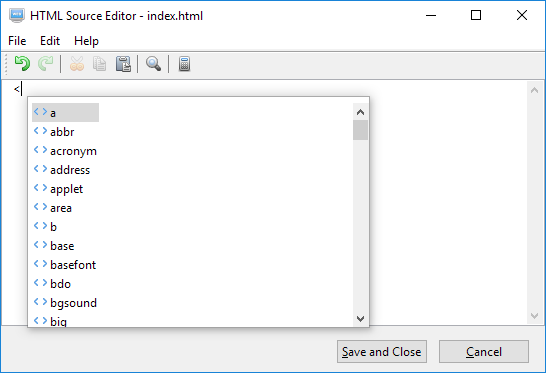
- Show auto suggestions for HTML tags and attributes and CSS attributes.
- File names and locations will be managed by this website builder if they are within the website and relative paths are used. For example, a snippet uses this code "<img src='images/some-image.png' />" to reference the image file "some-image.png" in the folder "images" within the website. Its name and location will be managed by the program. If later, the name of the file "some-image.png" is renamed to "this-image.png" in the Website Explorer, the name in the code snippet will be changed to "<img src='images/this-image.png' />" automatically. To check whether this type of support is available, just press CTRL-SPACE between two apostrophe such as this "src='<Press CTRL-SPACE here>'". A list of available files will be shown together with their relative path names. Selecting a file from this list will make sure that they can be managed by this website builder program.
E-commerce
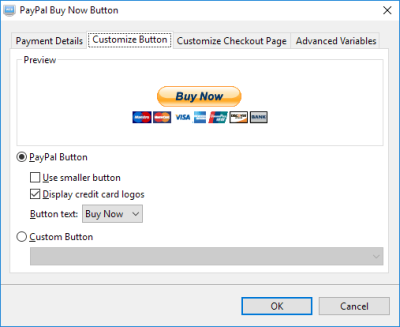
- Supports generating PayPal Buy Now, Add to Cart and Donation Buttons.
- Supports PayPal Encrypted Website Payments to secure your PayPal buttons. The encryption hides the payment details so they cannot be seen by anyone viewing the website source code in a browser.