To properly display this page you need a browser with JavaScript support.
×
Menu
Index
Search
Search
Search
Website Realizer
User Interface
Application dialogs
Tools
Create Bullet Dialog
Previous page
Next page
To properly display this page you need a browser with JavaScript support.
Create Bullet Dialog
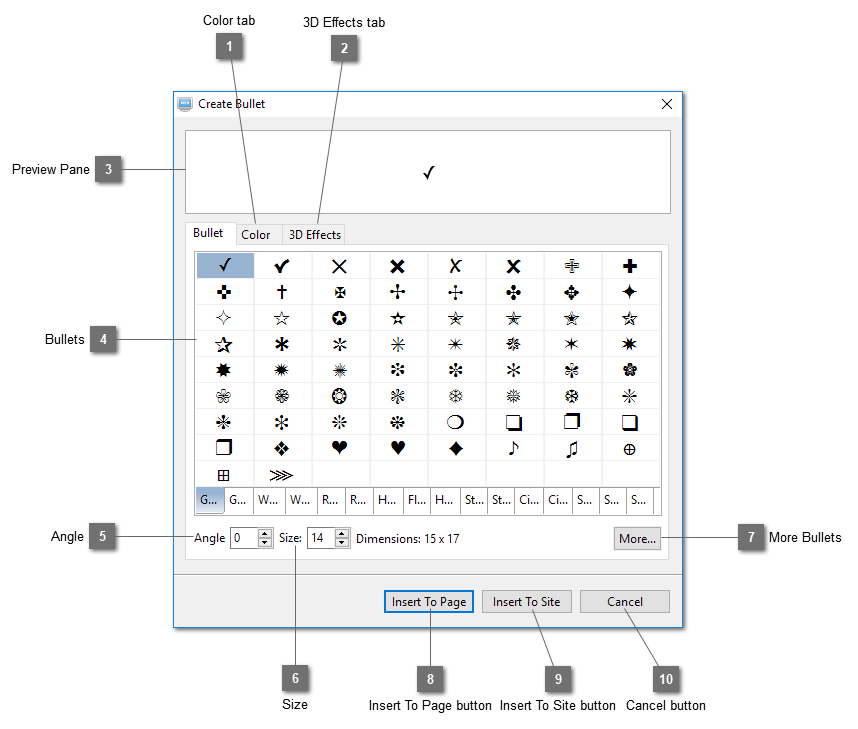
Color tab
Color tab
Top
3D Effects tab
3D Effects tab
Top
Preview Pane
Preview the bullet image.
Top
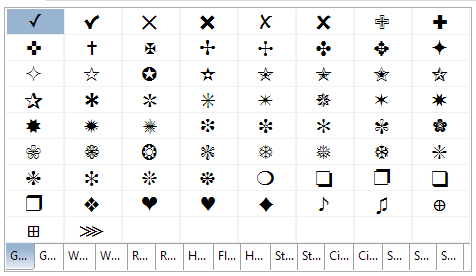
Bullets
Show a set of available bullet images.
Top
Angle
Set the angle of the bullet image.
Top
Size
Set the size of the bullet image. The actual dimensions of the size are shown on the right
Top
More Bullets
Click this button to open the
Symbol Dialog
which shows the characters of fonts such as Webdings and Wingdings. Select the character for creating the bullet image from the dialog and it will be shown on the preview pane.
Top
Insert To Page button
Insert the bullet image to the active page. The
Create Bullet Image Dialog
will be opened for you to choose the image format.
Top
Insert To Site button
Insert the bullet image to the website. The
Create Bullet Image Dialog
will be opened for you to choose the image format.
Top
Cancel button
Cancel inserting bullet image and close this dialog.
Top
Create Bullet Dialog
Symbol Dialog
Color tab
3D Effects tab
Create Bullet Image Dialog