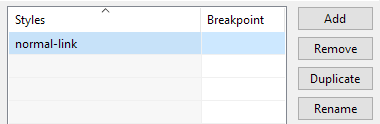
Select "Tools" > "CSS Style Editor" from the main menu. Click the Add button to add a new style. Change the name of the style to "normal-link".
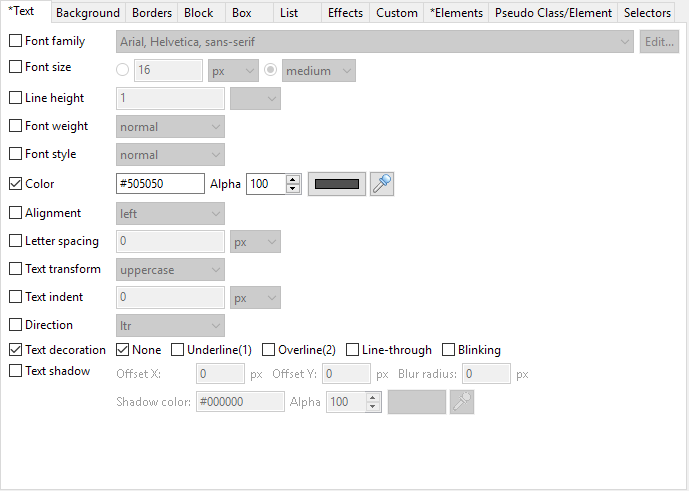
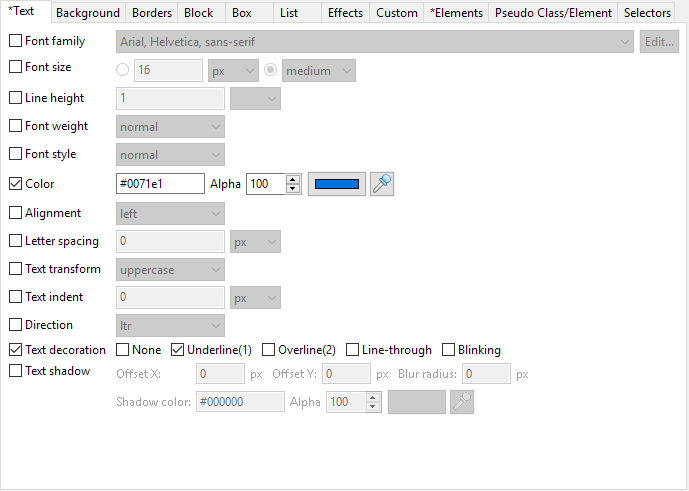
Select the "Text tab" and set values as shown on the "Text" tab below.
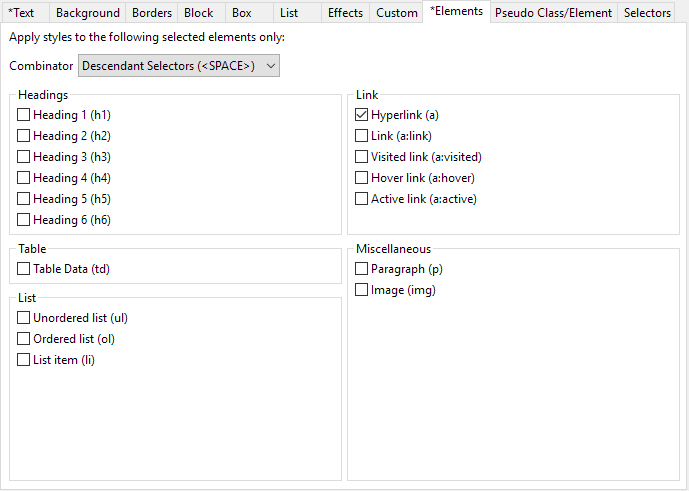
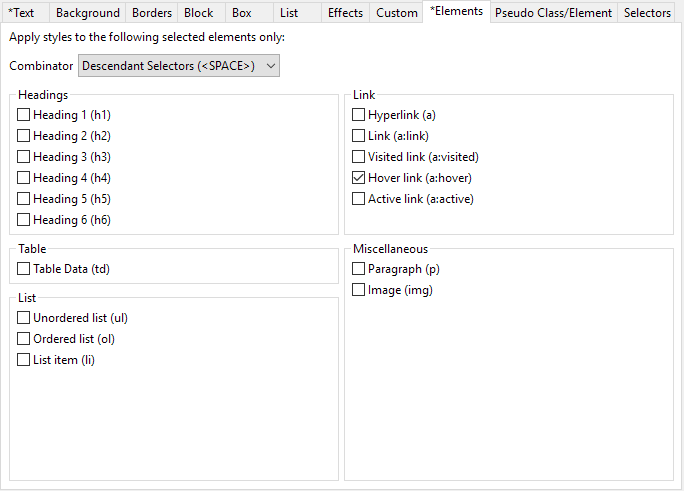
Select the "Elements tab" and select the options as shown below.
Click the Add button again to create another style. Change the name to "hover-link".
Select the "Text tab" and set values as shown below.
Select the "Elements tab" and select the options as shown below.
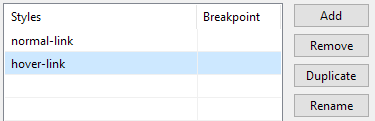
Make sure that "normal-link" comes before "hover-link" in the order as shown below.
Click OK to save these rules. To use them, just assign these styles to the text elements that have links defined. You can check out this tutorial "Apply styles to an element or a page" on how to apply styles to elements.



 .
.